Pet Shop Edition
Special functions for pet shops: fuller reports, faster performance, easier management and flexible access.

For grocery shops, convenience stores, pet shops, wholesale shops, supermarkets, pharmacies, auto shops, spare parts shops, barber shops, boutiques and spas. Choose your software, your hardware and how you want it installed, and see your price in two minutes.
Pet Shop Edition and Jualan Rahmah Edition, made for the way these shops really sell. Tap a poster to see it full size.
Special functions for pet shops: fuller reports, faster performance, easier management and flexible access.
Built for Jualan Rahmah shops: stock and sales management that is friendly to Rahmah sales, with simpler reports.
The posters are shown in Bahasa Melayu.
Scan a common product and its name and details appear. No more typing in every item.
Mark MyKasih items, split the payment, and run special-sale events with their own report.
Works directly with digital weighing scales and label scales such as the Rongta RLS1100.
Notifications, video recording and a detection log with the exact time of every event, so you can find it on camera.
Pro editionBig buttons, pictures and keyboard shortcuts, in your own language.
Follow one real sale in ZYPOS Retail, from the first scan to the shift report. Press play or tap a step.
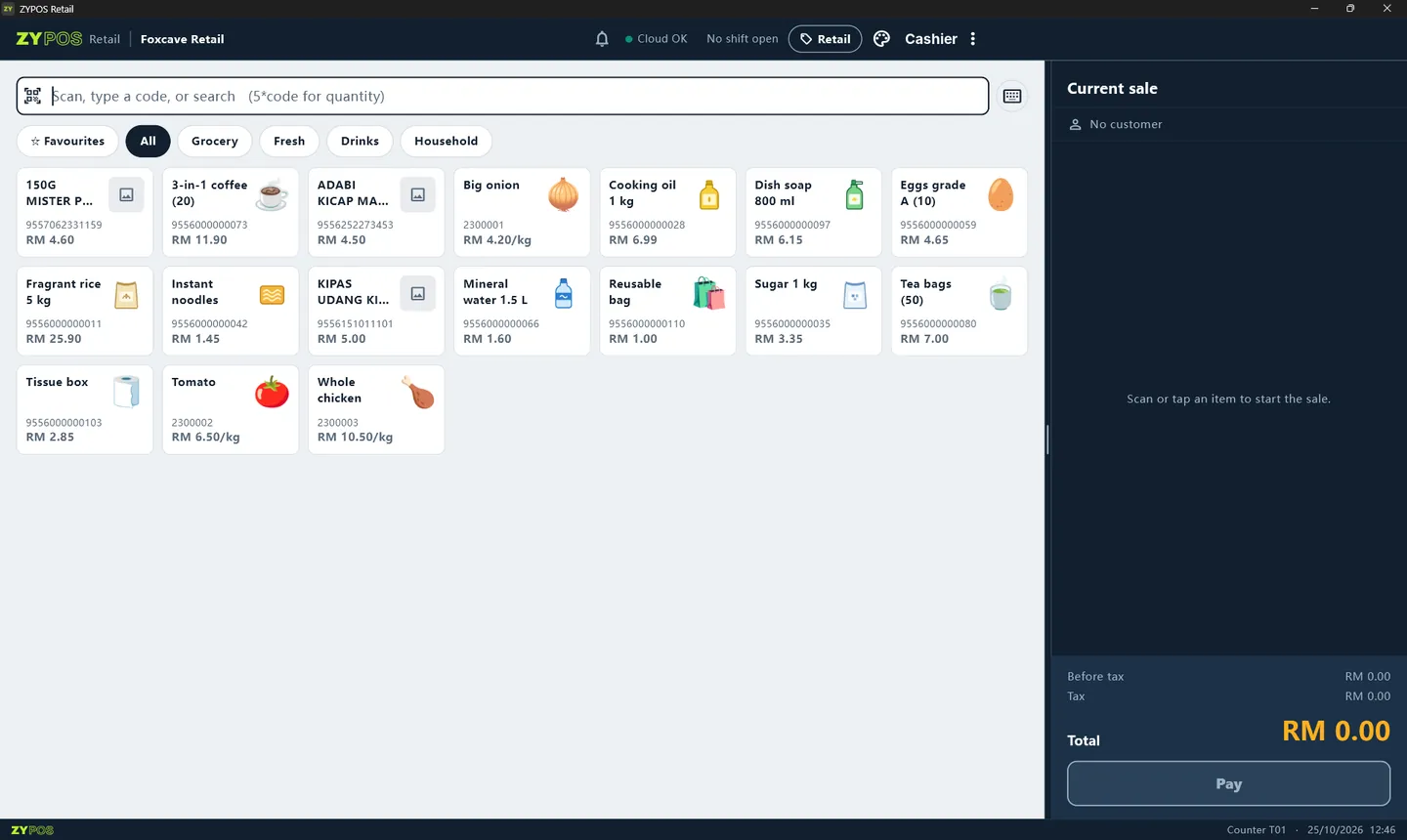
One box for barcodes, names and quantities. Type 5*code to sell five.
A barcode scanner types the code for you, even for a product that is not in your shop yet.
Unknown barcode? ZYPOS finds it in its 150,000-product barcode library and offers to add it.
Name, picture and barcode come from the library. Set your price, then Save.
The new product is now a picture tile. Tap it, or scan it, to sell.
Price per kg and the weight go straight onto the line.
Pick cash, card or QR, or split the payment. Quick amount buttons and keys F1 to F5 save time.
The change to give is shown in big numbers, and every sale gets its own number.
At closing, count the cash. If it does not match, you are asked to count again and both counts are kept for the manager.
Sales, refunds, money taken and the drawer count on one page. Print it, then close the shift.
The app screen is shown in English. ZYPOS also runs in Bahasa Melayu, Chinese, Indonesian, Thai and Tamil.
Run ZYPOS on a Windows PC at the counter, or on your Android device.
Enter the 6-digit code we sent you on WhatsApp.
Pick yours and we will start your quote with a setup that fits.
Three editions that grow with your shop. Add cloud and e-Invoice when you need them.
Pick your shop type, edition and hardware. The price updates as you go.
Online with a remote session, or onsite with a technician. We load your products and train your cashiers.
Scan, weigh, print and take payment. If the internet drops, the queue keeps moving.
Five short steps. No sign-up, and nothing is sent until you choose to send it.
Find your nearest agent for sales or technical support.